
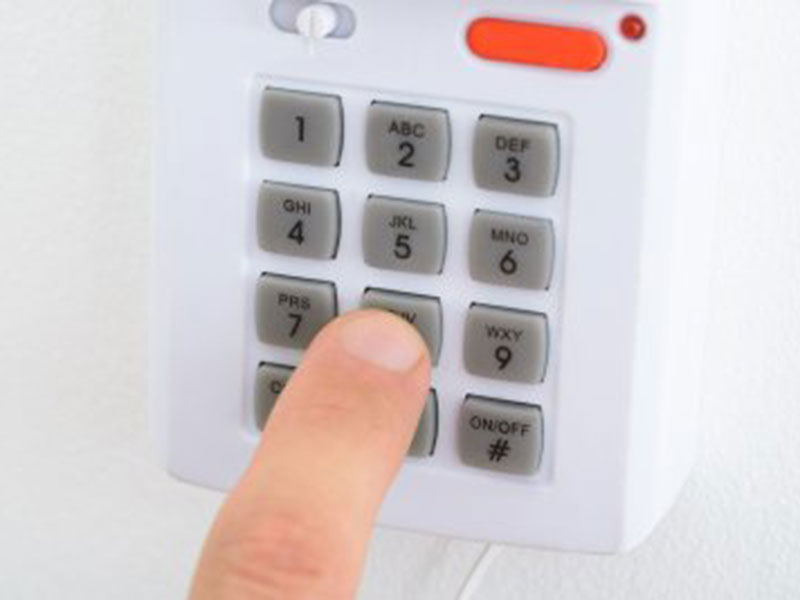
You rely on your garage door opener every single day. It lets you in when it’s pouring rain, secures your tools and vehicles, and serves as a primary entrance for the whole family. But when was the last time you thought about the security of that keypad mounted on the frame?
If you just moved into a new home, gave your code to a contractor, or realized you haven’t updated it in years, it is time for a refresh. Learning how to change the garage door code is one of those simple DIY tasks that gives you major peace of mind. It might feel technical, but don’t worry, you don’t need to be an electrician or a garage door pro to handle this. We are here to walk you through it, step by step, so you can get back to your weekend.
Why You Should Change Your Garage Door Code
Changing your garage door code is not just busy work; it is a crucial security measure. Just like you update your email passwords or banking PINs, your home access points need regular refreshes. There are several scenarios where updating your code moves from a “good idea” to a “must-do.”
- Moving into a new home: You have no idea who the previous owners gave the code to. Neighbors, dog walkers, or old repair crews could still have access.
- Service access: Did you give your code to a painter or plumber while you were at work? Once the job is done, that code needs to go.
- Security breach: If you suspect someone knows your PIN who shouldn’t, change it immediately.
- Wear and tear: Over time, the buttons on your keypad can get worn down, leaving a visible “fingerprint” trail of the numbers you use most often. A potential intruder could guess your code just by looking at the wear pattern.
What You Need Before Changing the Code
Before you grab the ladder, let’s make sure you have everything ready. Nothing is more frustrating than getting halfway up a ladder only to realize you are missing a tool. Fortunately, resetting a garage door code usually requires minimal equipment. Here is what our team recommends:
- Stepladder: You will likely need to reach the motor unit on the ceiling of your garage.
- Flashlight: It can be dark up near the motor, and you will need to find specific buttons.
- Instruction manual: While the process is similar across brands (like LiftMaster, Chamberlain, or Genie), the specific button sequences can vary. If you don’t have the paper manual, you can usually find it online by searching your model number.
- A helping hand: While you can do this alone, having someone on the ground to hand you things or test the keypad while you are on the ladder makes the process much smoother.
Step-by-Step Guide to Changing Your Garage Door Code
Ready to secure your garage? The process typically involves interacting with the motor unit (the box hanging from your garage ceiling) and the keypad outside. Here is the general process that works for most modern openers.
1. Locate the “Learn” Button
Grab your ladder and climb up to the motor unit. You are looking for a button labeled “Learn” or “Smart.” It is often a colored square or circle (purple, red, orange, green, or yellow) located on the back or side of the unit. You might need to pop off the light lens cover to find it.
2. Reset the Old Codes (Optional but Recommended)
If you want a completely fresh start, you can clear out all previous codes. Press and hold the “Learn” button for about 6 to 10 seconds. Usually, the LED light next to the button will go out, signaling that the memory has been wiped. Note: This will disconnect all remotes and keypads, so you will need to reprogram everything.
3. Trigger the Programming Mode
Press and release the “Learn” button quickly (like a doorbell). The indicator light should glow steadily for about 30 seconds. This is your window of opportunity!
4. Enter the New Code
Quickly step down or have your helper go to the keypad outside. Enter your desired 4-digit PIN and press the “Enter” button.
5. Finalize the Process
On many models, the light on the motor unit will blink, or you will hear a click, indicating the new code has been accepted. Test it out by closing the door and trying to open it with your new PIN.
Temporary PINs and Smart Technology Integration
Did you know many modern openers let you set a temporary PIN? This is perfect for house sitters or deliveries. A temporary PIN allows access for a limited time or a specific number of uses before it expires automatically. Check your manual for this feature—it usually involves holding the * and # buttons on the keypad. If you have a smart garage door opener (like those using MyQ technology), you might be able to change or manage codes directly from your smartphone. This eliminates the need for ladders entirely! You can simply open the app, navigate to “Guest Access” or “Passcodes,” and set a new entry code from the comfort of your couch.
Tips for Managing Your Garage Door Code
Now that you have reset the code, how do you keep it secure? Managing your home security is an ongoing process.
- Avoid obvious numbers: Do not use 1234, your house number, or your birth year. These are the first things someone will guess.
- Check keypads regularly: Wipe down your keypad occasionally to remove oils and dirt. This prevents those tell-tale wear marks on specific buttons.
- Share sparingly: Only give the code to people you trust implicitly. If you can, use the temporary PIN feature for guests.
- Keep a record: If you choose a random number, write it down and store it in a secure place (like a password manager or a safe), not on a sticky note in the kitchen.
How do I reset the garage door code without the old code?
This is a very common question! If you bought a house and have no idea what the old code was, don’t panic. You do not actually need the old code to set a new one.
Because the programming happens at the motor unit using the “Learn” button, you are essentially telling the machine to accept a new signal. The “Learn” button bypasses the need for the previous PIN. Just follow the steps listed above: press the Learn button on the motor, and then enter your new code on the keypad. It overwrites the old authority without needing to know the previous password.
How to reprogram a garage door opener remote?
While you are up on the ladder, you might as well sync up your handheld remotes, especially if you wiped the memory in step 2.
- Press the Learn Button: Just like with the keypad, press and release the Learn button on the motor unit.
- Press the Remote Button: Within 30 seconds, press and hold the button on your handheld remote that you want to use to operate the door.
- Wait for the Signal: The light bulb on the opener unit will flash (or you will hear two clicks) when the remote has been programmed.
How often should I change my garage door code?
There is no hard and fast rule, but cybersecurity experts generally suggest updating passwords every six months. For a garage door, that might be excessive for some, but we recommend changing it at least once a year.
Additionally, you should change it immediately after significant life events, such as a breakup, a roommate moving out, or the completion of a home renovation project where contractors had access. Treating your garage keypad with the same caution as your front door key is the best way to keep your home safe.
Help for Resetting Garage Door Entry Code
Changing your garage door code is a straightforward way to boost your home’s security, but we know that technology can sometimes be finicky. Maybe your keypad is old and unresponsive, or your motor unit isn’t entering “Learn” mode no matter what you do. If you have tried these steps and are still stuck, or if you are looking to upgrade to a newer, more secure smart garage system, A1A Overhead Door Company is here to help. We have over 50 years of experience helping Jacksonville homeowners with everything from simple resets to full system installations. Don’t leave your home vulnerable; let us handle the technical stuff so you can rest easy. Contact us today!
- A1A Overhead Door Company12
- Energy Efficiency3
- Garage Door38
- Garage Door Installation15
- Garage Door Maintenance26
- Garage Door Openers18
- Garage Door Repair24
- Garage Door Safety41
- Garage Door Spring8
- Garage Door Springs5
- Garage Door Styles14
- Garage Doors14
- Garage Organization5
- Google+ Review1
- History of Garage Doors6
- Hurricane Code7
- Infographic2
- Insulation0
- Liftmaster0
- New Garage Door10
- Overhead Doors11
- Review0
- Wounded Warrior Project1
- Yelp Review0